Microphone
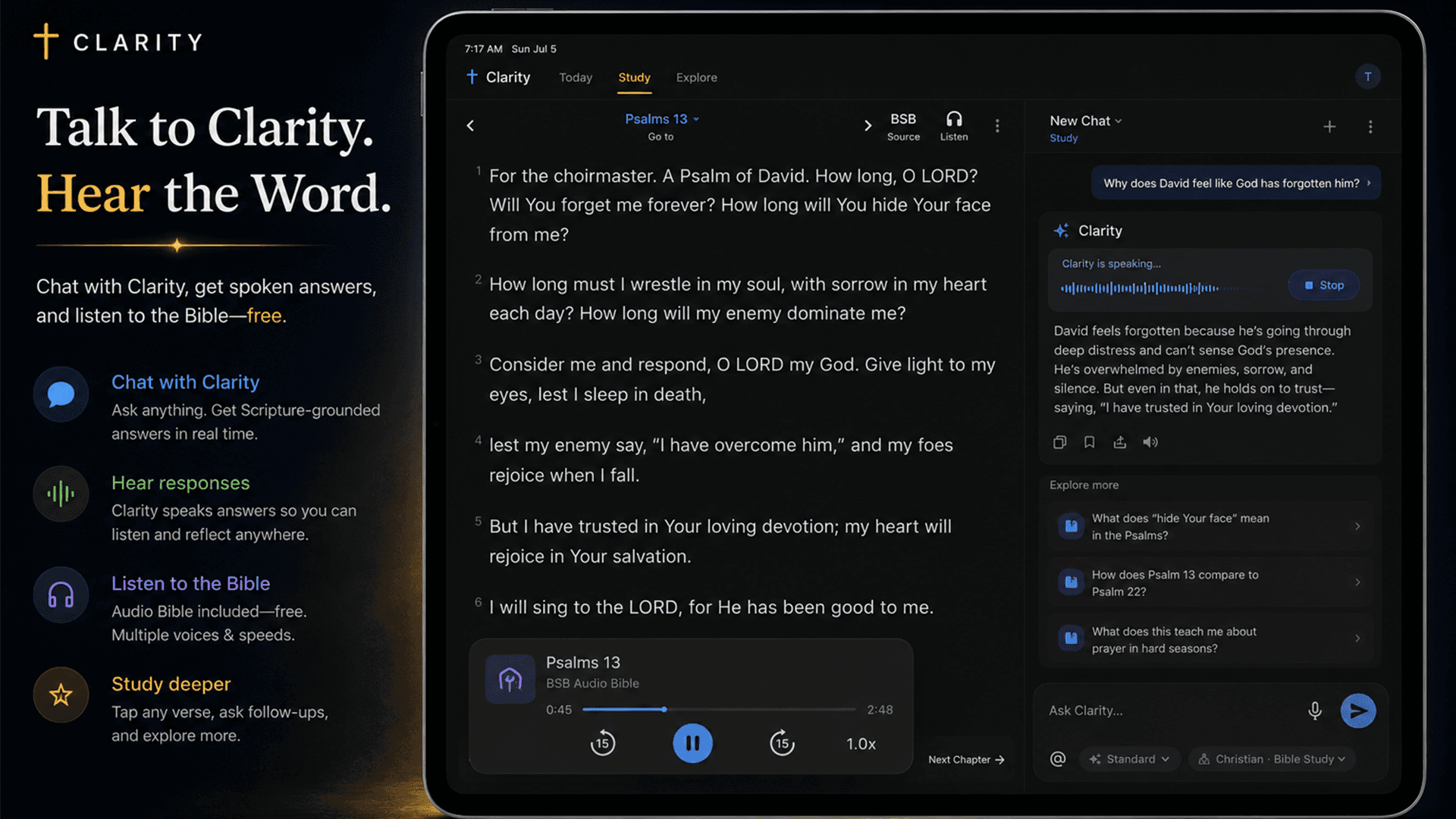
Ask the question in your own voice
Dictate a passage, theology, life, or training question and use the resulting transcript in the normal conversation.
Ask and listen
Ask by voice. Hear the answer. Keep studying.
Use the microphone to speak a question, then listen to Clarity’s response with a free device voice or an optional natural or expressive voice.
Free account. Your first AI answers are included. No credit card required.
Why Clarity is different
Speak a question when typing interrupts the moment, review the transcript, and send it into the same cited study flow. When you want to listen, choose a free device voice or an optional premium voice before anything billable is generated.
What is actually in the app
Microphone
Dictate a passage, theology, life, or training question and use the resulting transcript in the normal conversation.
Device voice
Use the voice built into your phone or browser for answer playback without a per-listen Clarity charge.
Premium voices
Clarity labels subscription access and estimated credit use before a premium voice is selected.
Playback
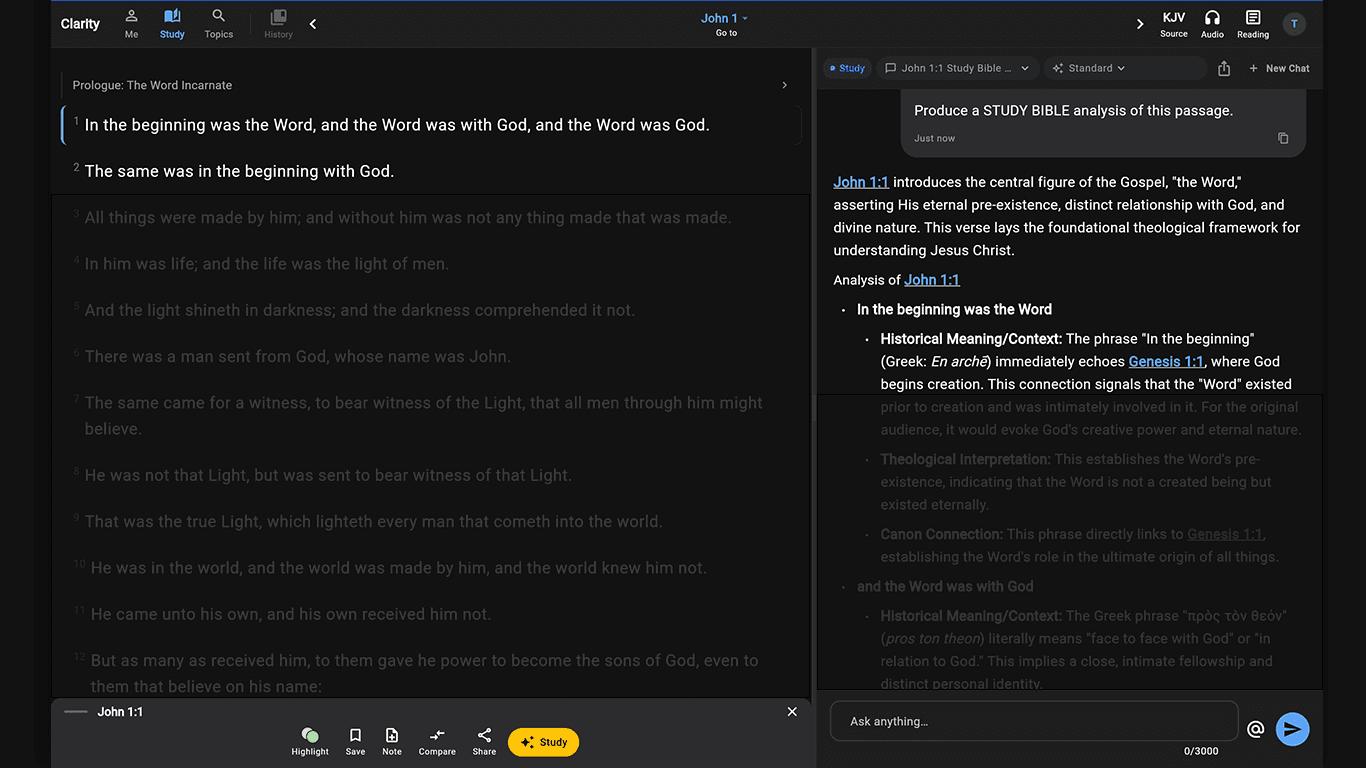
Answer narration appears with controls inside the response while the underlying Scripture and explore-next paths remain available.
Why it matters
Voice input transcribes into the normal question flow, and voice output is always user-controlled. Premium voices disclose credit use; device voice remains available without a per-listen charge.
Speak naturally when typing would interrupt your reading, walk, or commute.
Hear a full response read back with playback controls.
Choose free on-device speech or an optional premium voice before any paid voice generation.
How it works
Speak the question in your own words.
The transcript enters the same Bible-grounded chat flow.
Use a device, natural, or expressive voice for the answer.
Especially useful for
Browse full Clarity answers with the Bible passages beside them. When you have your own question, ask it in the app.