Context
The chat knows what you are reading
Begin from a verse or chapter and carry that Scripture context into the conversation automatically.
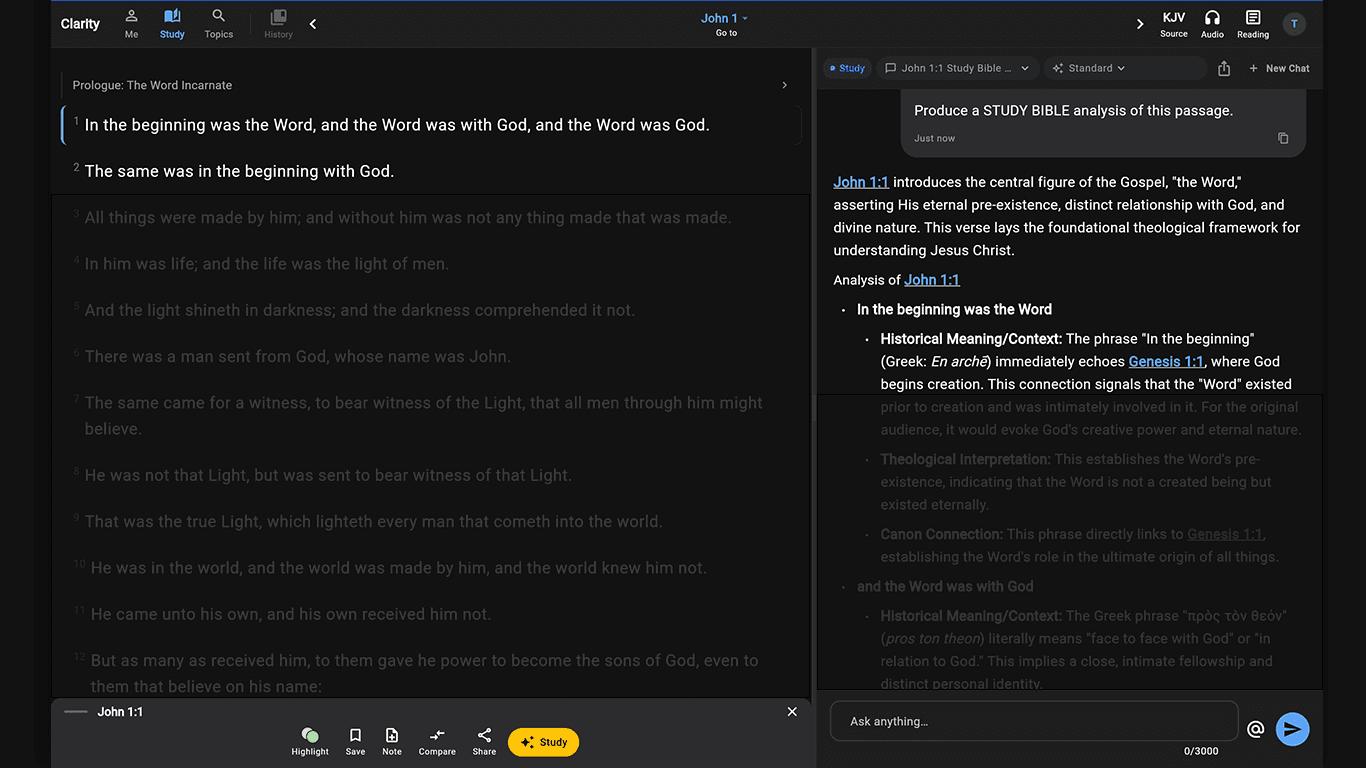
Bible chat with context
Ask naturally. Get a Scripture-grounded answer.
Clarity is conversational without becoming generic. Ask a Bible question in your own words, challenge the first answer, and follow the thread while the passage and prior context stay in view.
Free account. Your first AI answers are included. No credit card required.
Why Clarity is different
Clarity lets you ask naturally and keep a line of inquiry going, but the answer remains inspectable. You can open the cited text, challenge an assumption, request another interpretation, or change the response depth without rebuilding the study from scratch.
What is actually in the app
Context
Begin from a verse or chapter and carry that Scripture context into the conversation automatically.
Citations
Scripture references link back into the Bible pane so you can read the surrounding passage for yourself.
Explore next
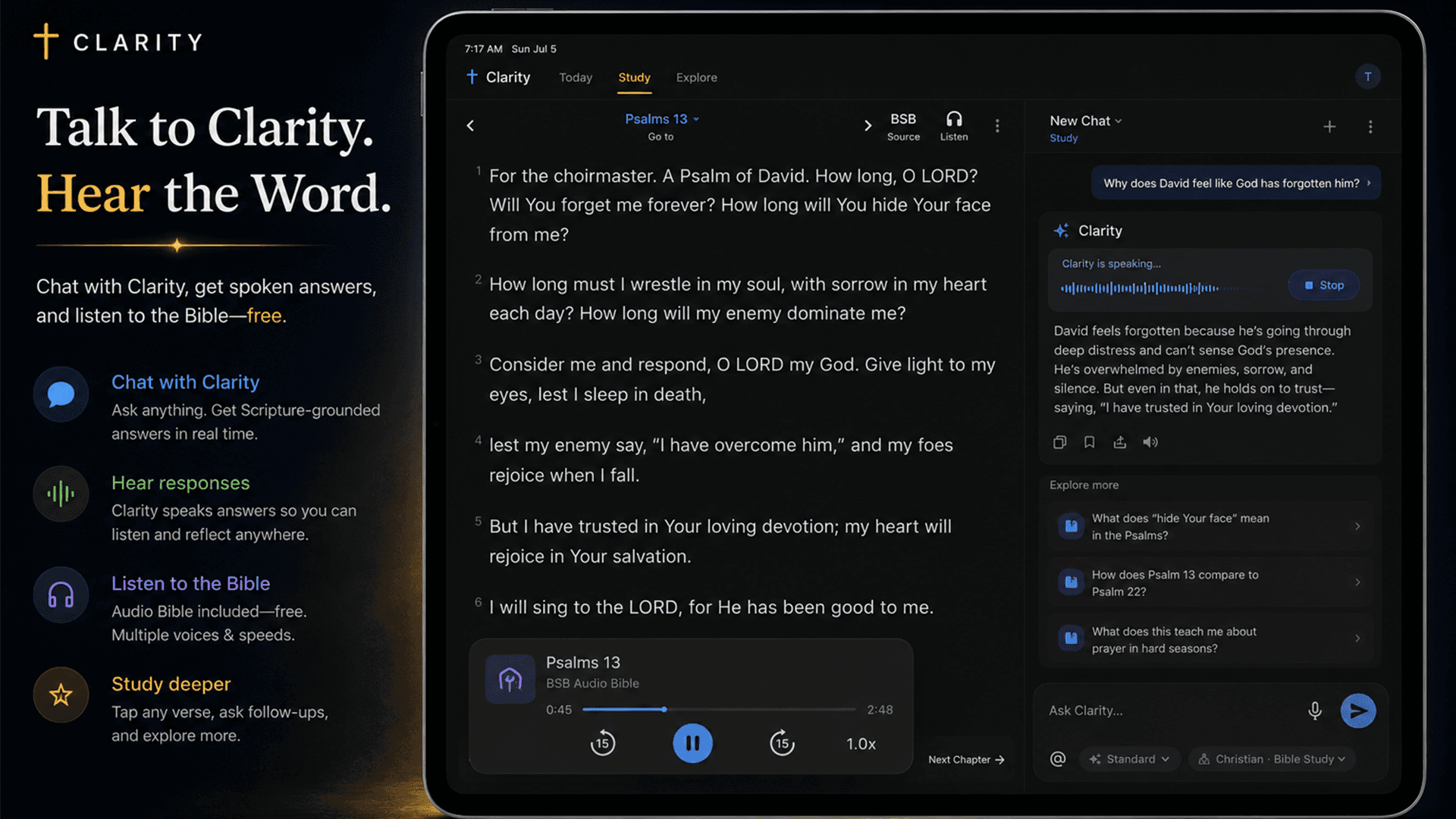
Clarity proposes contextual next questions across text, theology, canon, formation, and other relevant study paths.
Voice
Ask with the microphone and choose whether to hear the response through a device, natural, or expressive voice.
Why it matters
Every answer is designed to cite Scripture, distinguish interpretation from fact, and give you useful next questions instead of ending the conversation with a summary.
Use the wording you actually have—not a library keyword or a perfectly formed research query.
Ask follow-ups in the same study instead of restarting from a blank chatbot every turn.
Open cited passages and inspect the biblical reasoning behind the answer.
How it works
Type or speak your Bible question.
Read the answer beside Scripture and open its references.
Use a suggested next path or ask the objection still on your mind.
Especially useful for
Browse full Clarity answers with the Bible passages beside them. When you have your own question, ask it in the app.