Bible
Read and navigate Scripture
Open a book or chapter, move by passage, listen, highlight, bookmark, and keep notes without leaving the study environment.
One Bible study app
Read simply. Study deeply. Keep moving without changing tools.
Clarity brings Bible reading, cited answers, audio, devotionals, quizzes, lessons, and saved study paths into one app that works across phone, tablet, and desktop.
Free account. Your first AI answers are included. No credit card required.
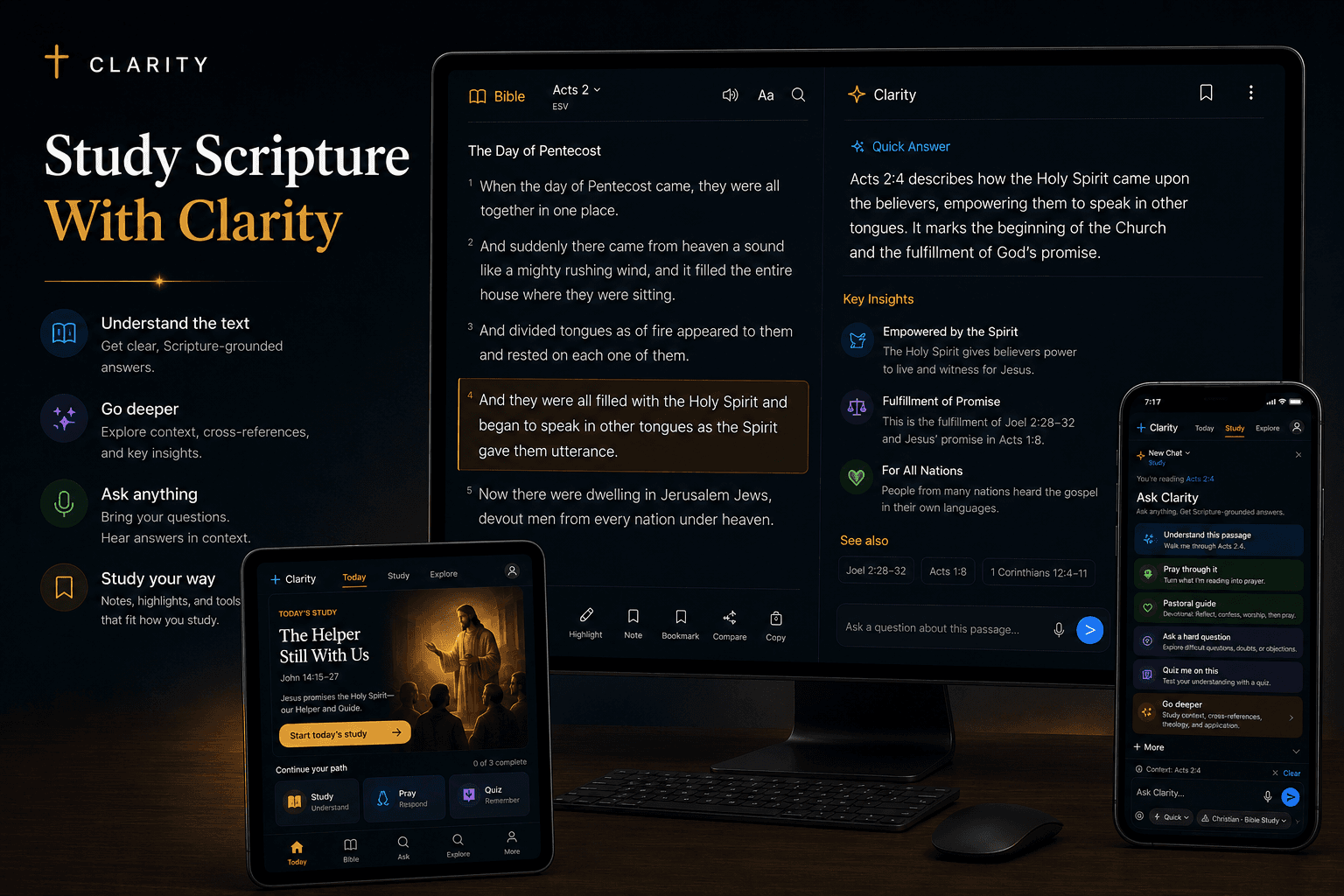
Why Clarity is different
Clarity is organized around a repeatable path: open Scripture, ask what you need, inspect the biblical support, and choose what to do next. Audio, quizzes, devotionals, training, and lesson plans are different entrances into that same path—not a pile of unrelated engagement features.
What is actually in the app
Bible
Open a book or chapter, move by passage, listen, highlight, bookmark, and keep notes without leaving the study environment.
Ask Clarity
Ask a plain-language question with the passage attached, then open citations and related questions from the answer.
Today
Study, reflect and pray, then test what you understood—each movement built around Scripture rather than an isolated inspirational card.
Lessons & practice
Generate a lesson plan, take a passage-based quiz, or enter Faith Training when understanding needs structure and practice.
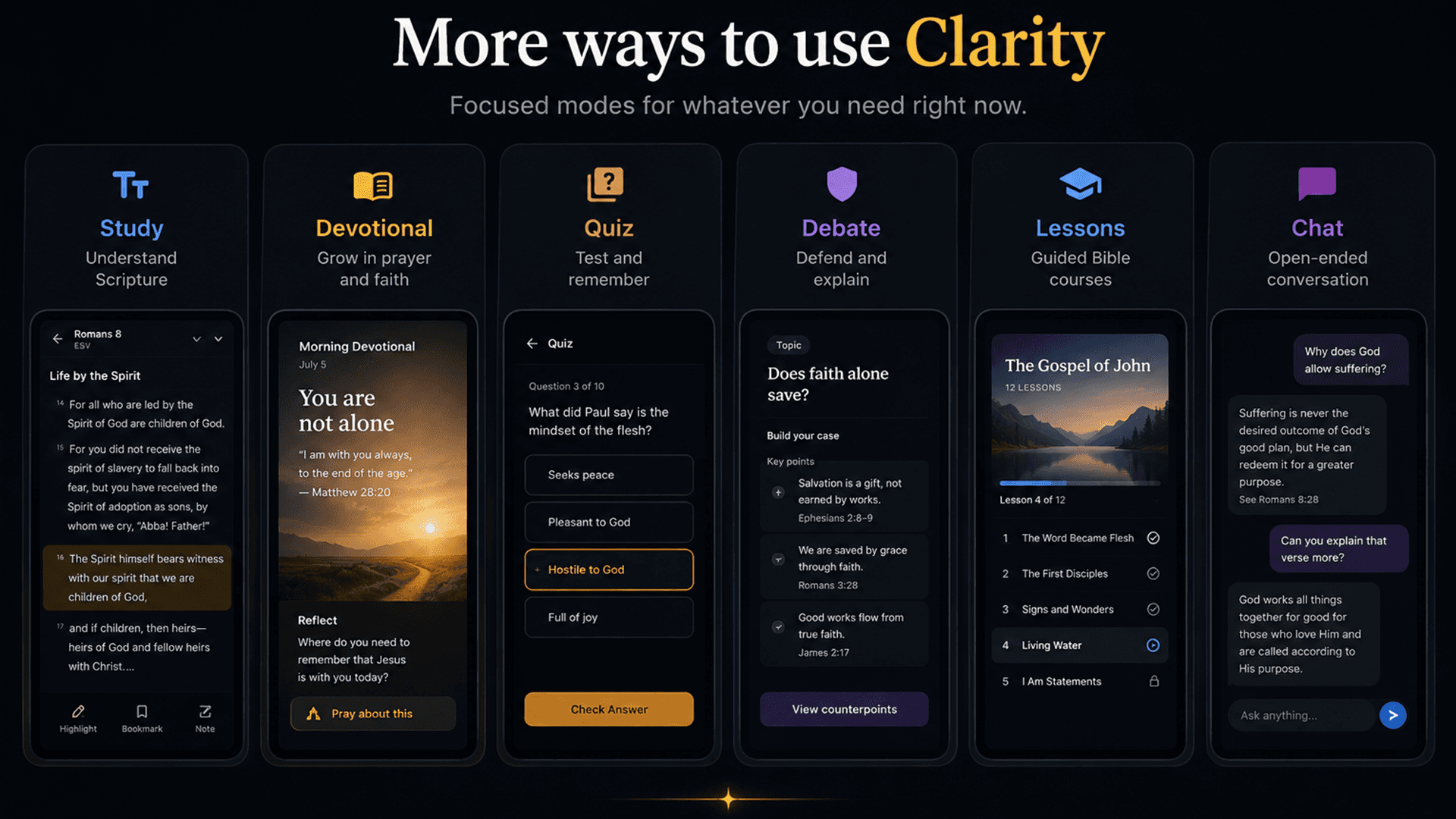
Why it matters
The app is organized around a connected study flow rather than a collection of unrelated features: open Scripture, ask what you need, inspect the answer, and continue from the same context.
Move between the Bible, questions, notes, audio, quizzes, and lessons without reconstructing what you were studying.
Use the same Clarity account on the web and supported mobile devices.
Begin with a clear explanation, then choose deeper history, theology, cross-references, and original-language context.
How it works
Begin with today’s study, a passage, a topic, or your own question.
Read, listen, ask, take a quiz, or generate a structured lesson.
Follow citations and next questions instead of ending at the first answer.
Especially useful for
Browse full Clarity answers with the Bible passages beside them. When you have your own question, ask it in the app.
Common questions
Yes. A free account includes Bible reading, notes, saved study, and your first AI answers with no credit card required. After the included AI use runs out, you can choose a paid monthly plan to keep asking. The public Clarity Answers library remains free to read.
No. Clarity is designed to keep Scripture open while you study, cite the passages behind an answer, and help you examine the text yourself.
Clarity is designed for phone, tablet, and desktop use through one account.