Chapter playback
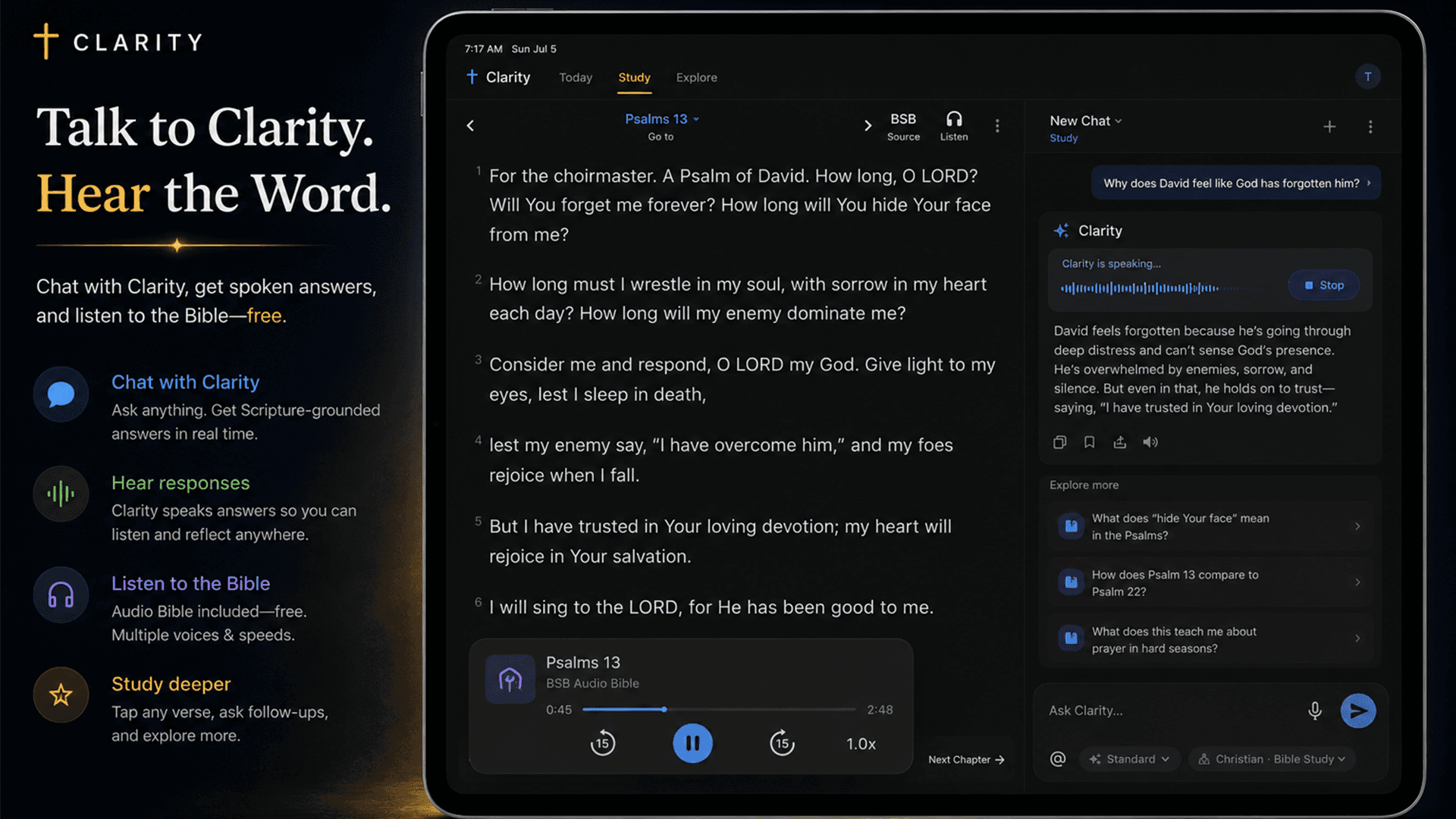
Listen where you are reading
Start supported recorded Bible audio from the open chapter and keep the passage visible while it plays.
Listen to Scripture
Read, listen, ask, and keep your place.
Listen to the Bible by chapter without leaving your study. Clarity also provides a device-voice fallback when recorded audio is unavailable, so the text can keep moving with you.
Free account. Your first AI answers are included. No credit card required.
Why Clarity is different
Clarity keeps audio inside the same Bible workspace. Pause on the line that caught you, ask about it, examine the answer, and continue listening without moving between an audio player, a Bible website, and a chatbot.
What is actually in the app
Chapter playback
Start supported recorded Bible audio from the open chapter and keep the passage visible while it plays.
Controls
Change speed, pause, skip by verse, follow progress, stop, or move into the next chapter.
Fallback
Clarity can use the device voice as a practical fallback for Bible text without turning answer narration on automatically.
Ask from the text
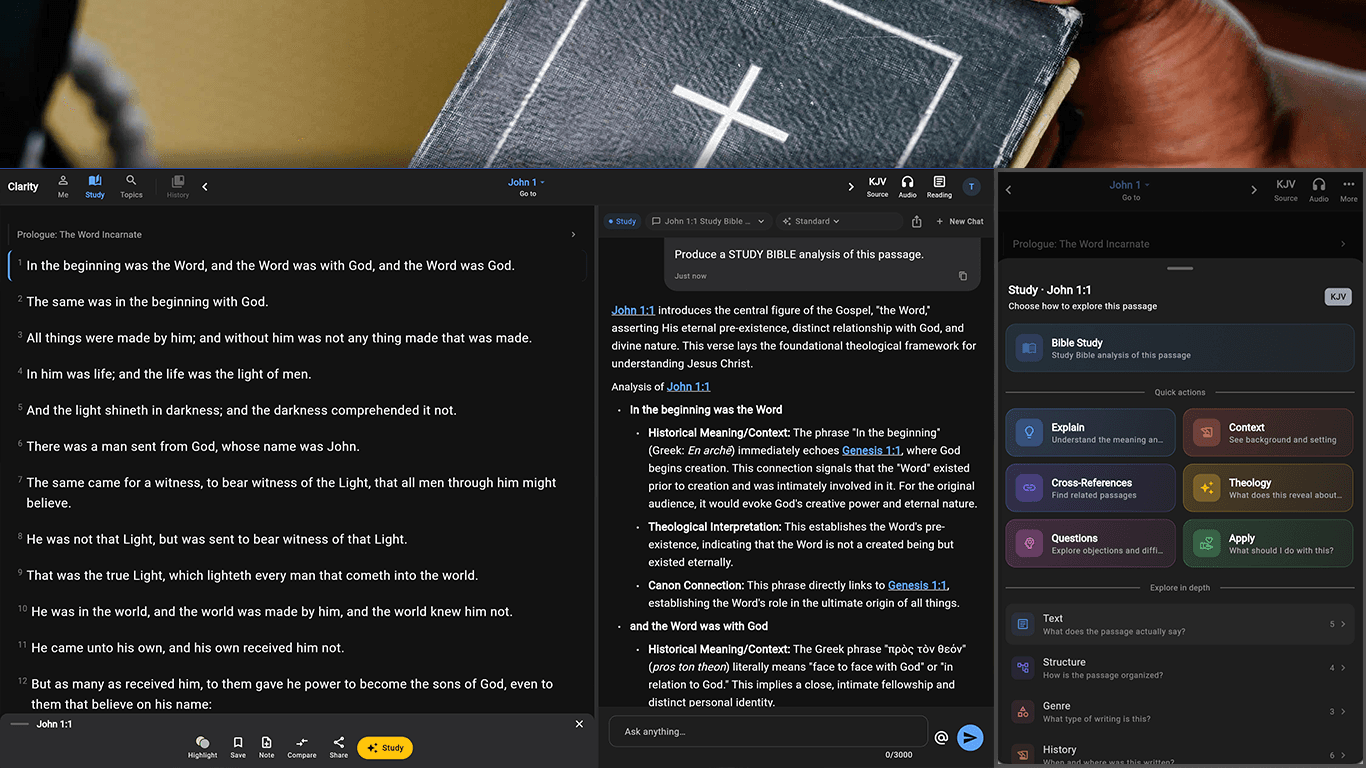
Select or open the passage behind a question and continue directly into explanation, context, cross-references, or a deeper study.
Why it matters
Bible audio has its own playback controls and stays synchronized with Scripture navigation, while answer listening remains a separate, deliberate choice.
Listen to supported Bible translations with controls built into the reading pane.
Use on-device text-to-speech where recorded Bible audio is unavailable.
Move between the biblical text, explanations, and follow-up questions in the same workspace.
How it works
Navigate to the passage you want to hear.
Use the available Bible audio or device voice.
Ask about the line that caught your attention without losing the chapter.
Especially useful for
Browse full Clarity answers with the Bible passages beside them. When you have your own question, ask it in the app.